Network Survey for iOS
Pair your iPhone with an NS Scout to survey Wi-Fi and Bluetooth
Requires an NS Scout • iPhone only • Free and open source • Coming soon to the App Store
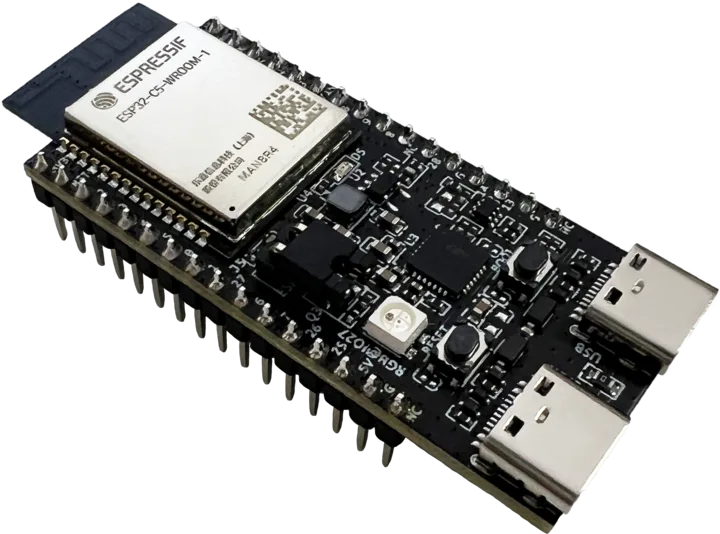
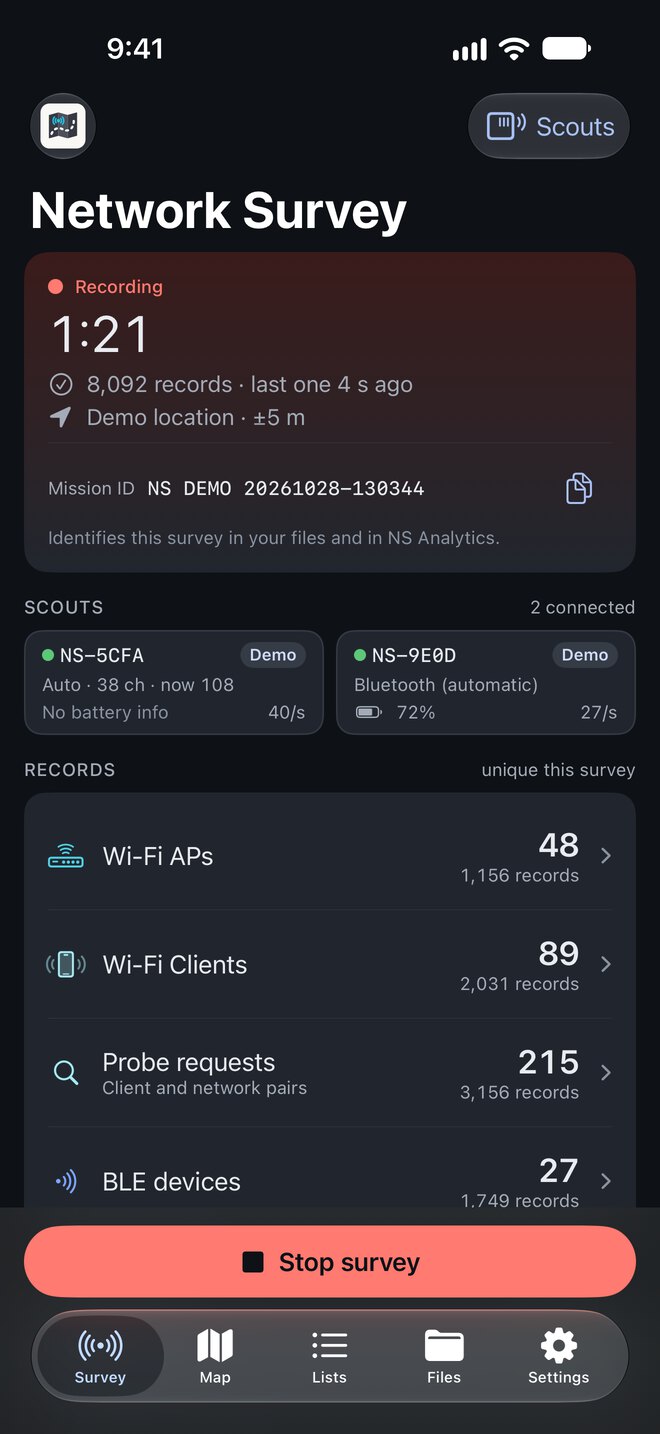
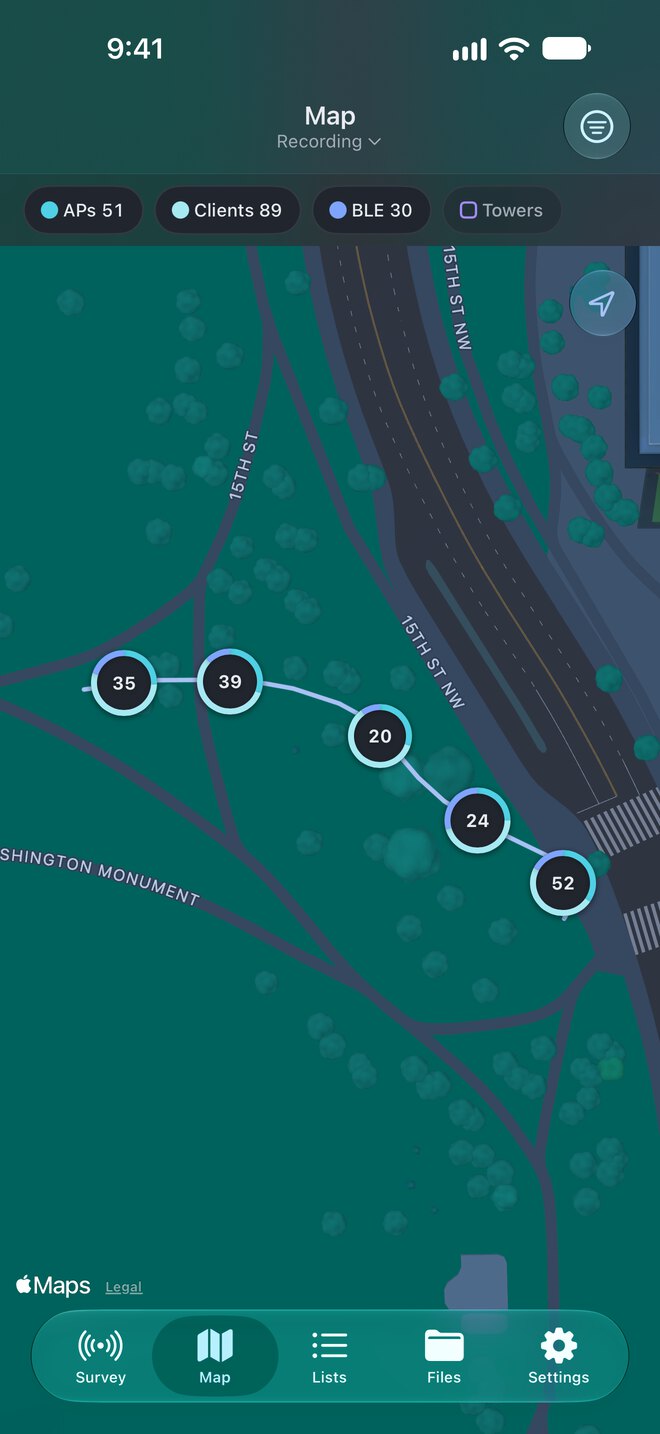
Screens show the app's built-in Demo Scout. Board photo: Espressif, cropped, CC BY-SA 4.0
Your iPhone Needs an NS Scout
The app does not survey anything by itself. iOS does not let apps scan for Wi-Fi, and it hides the real addresses of Bluetooth devices. So a small board called an NS Scout does the listening.
- Step 1
The Scout listens
An NS Scout, an inexpensive ESP32 board, hears the Wi-Fi and Bluetooth around you.
- Step 2
It streams to your iPhone
The Scout sends what it hears to Network Survey over Bluetooth.
- Step 3
Your iPhone does the rest
The app adds your location, then logs, maps, streams and uploads the data.
The ESP32-C5-DevKitC-1 is tested, recommended, and hears 5 GHz Wi-Fi too. Four more ESP32 boards are supported but not yet tested on hardware. No Scout yet? Turn on the Demo Scout in the app to look around with made-up data.
What It Records
What your Scout hears, tagged with your location
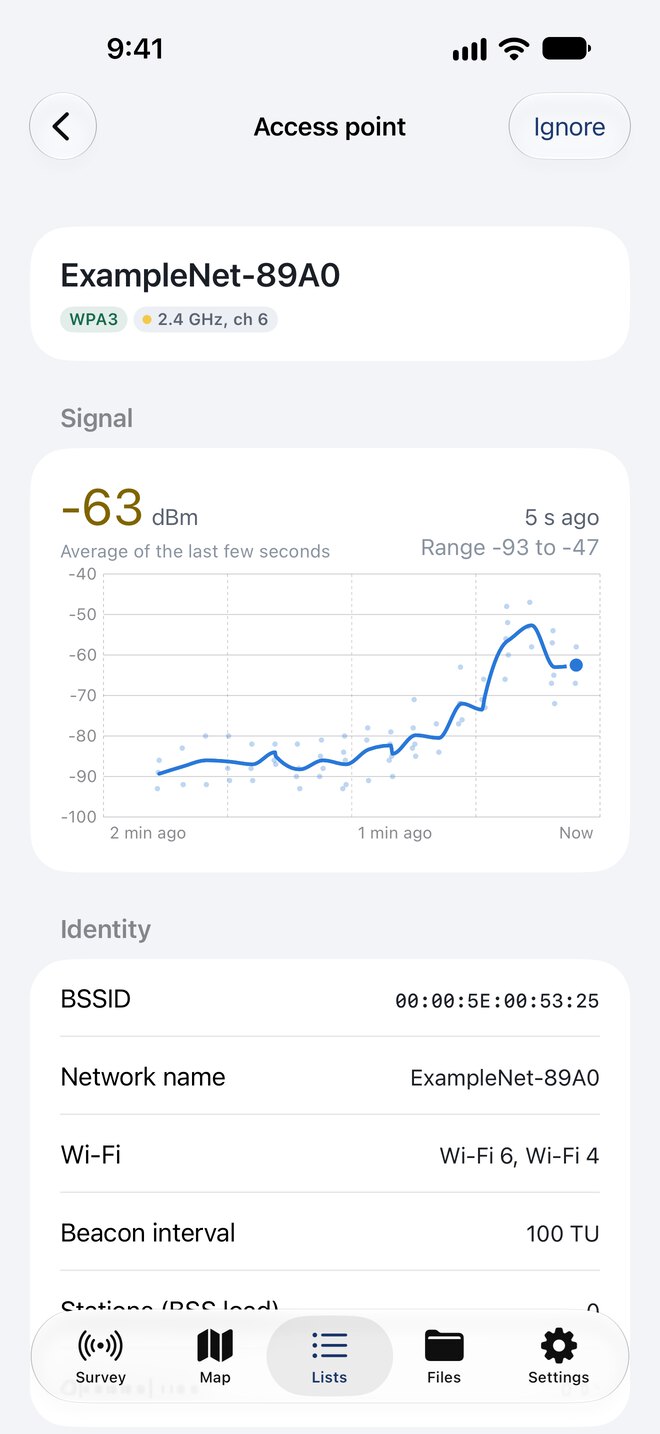
Wi-Fi Access Points
- Network name (SSID), including hidden networks, and BSSID
- Band, channel, frequency and channel width
- Security type, key management and ciphers
- Wi-Fi generation, WPS and Passpoint
- Station count and channel use from BSS load, shown in the app
- Signal history for each network
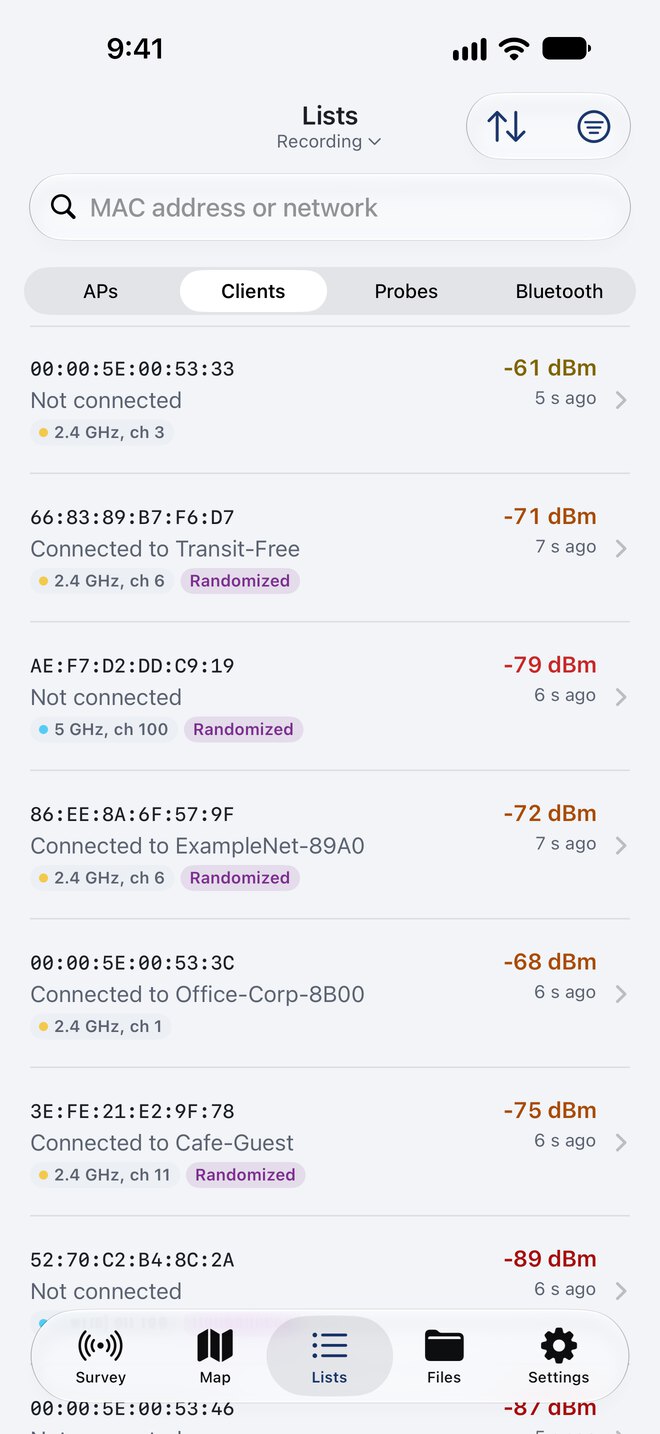
Wi-Fi Clients and Probe Requests
- Client MAC address and signal strength
- The access point each client is connected to, when known
- The networks each client looks for
- Randomized addresses flagged, with a filter to hide them
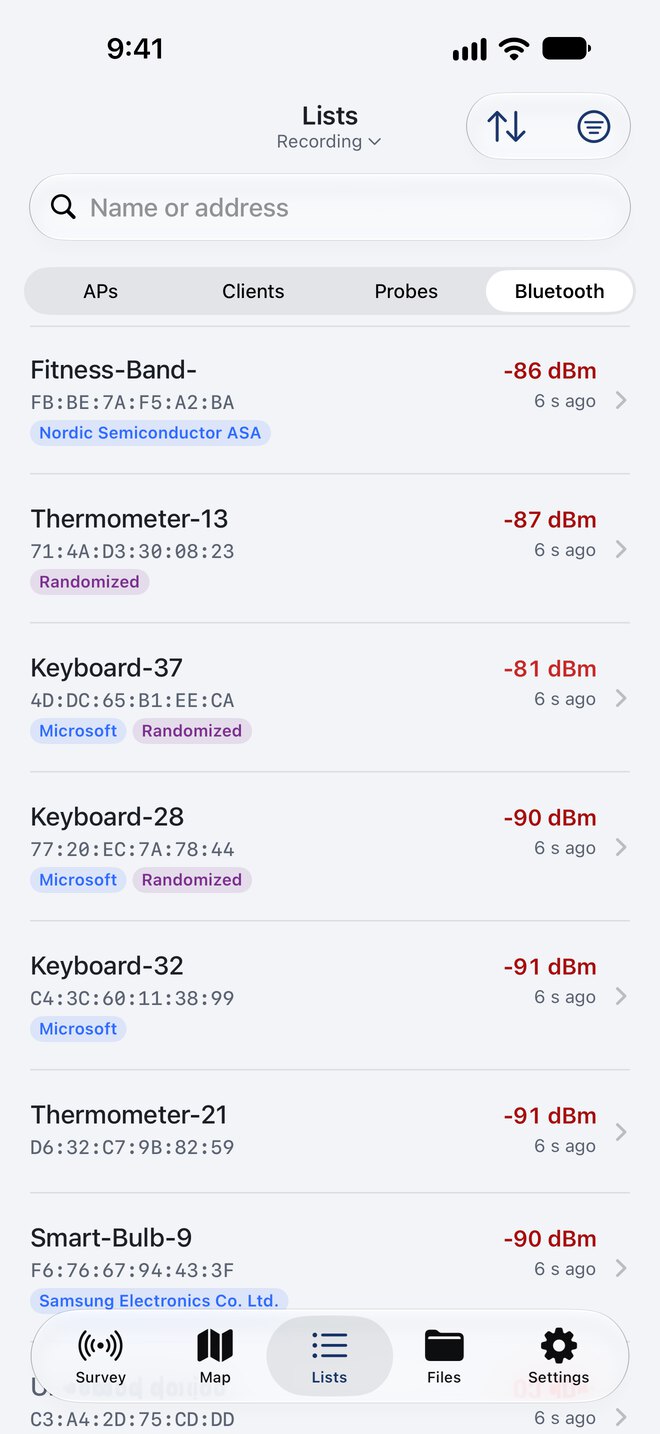
Bluetooth LE Devices
- Device address and address type (public or random)
- Company name from the Bluetooth SIG registry
- TX power, and the advertising data split into labeled fields
- Device names when advertised, and service UUIDs
- Signal history for each device
Built for Walking a Site
Live Map
Watch access points, clients and Bluetooth devices appear on the map as you walk, with your track.
Keeps Going When Locked
Put the phone in your pocket. The survey keeps recording with the screen off.
Live Activity
Elapsed time, device counts, total records and Scout status on the Lock Screen and in the Dynamic Island.
Privacy Zones
Nothing new is recorded inside the zones you set, like your home. Ignore networks by name or BSSID, and devices by MAC address or prefix.
Your Data, Your Way
Turn on as many destinations as you like for each survey
CSV and pcapng Files
Saved on your iPhone and visible in the Files app. Wi-Fi and Bluetooth CSVs use the same column names as the Android app, and a sample of raw management frames can go to pcapng for Wireshark.
MQTT Streaming
Stream records to your own broker in real time, with TLS and an offline queue.
gRPC Streaming
Send records to your own gRPC server using the NS Messaging API.
NS Analytics
Scan your workspace QR code, and access point and Bluetooth records upload on a schedule while you survey.
About NS AnalyticsNo Account, No Tracking
No sign-up, ads or analytics. Survey data leaves your iPhone only when you turn on a destination. App Store builds send crash reports and session counts, which you can turn off.
Open Source
The app and the Scout firmware are both on GitHub under the Apache 2.0 License.
View on GitHub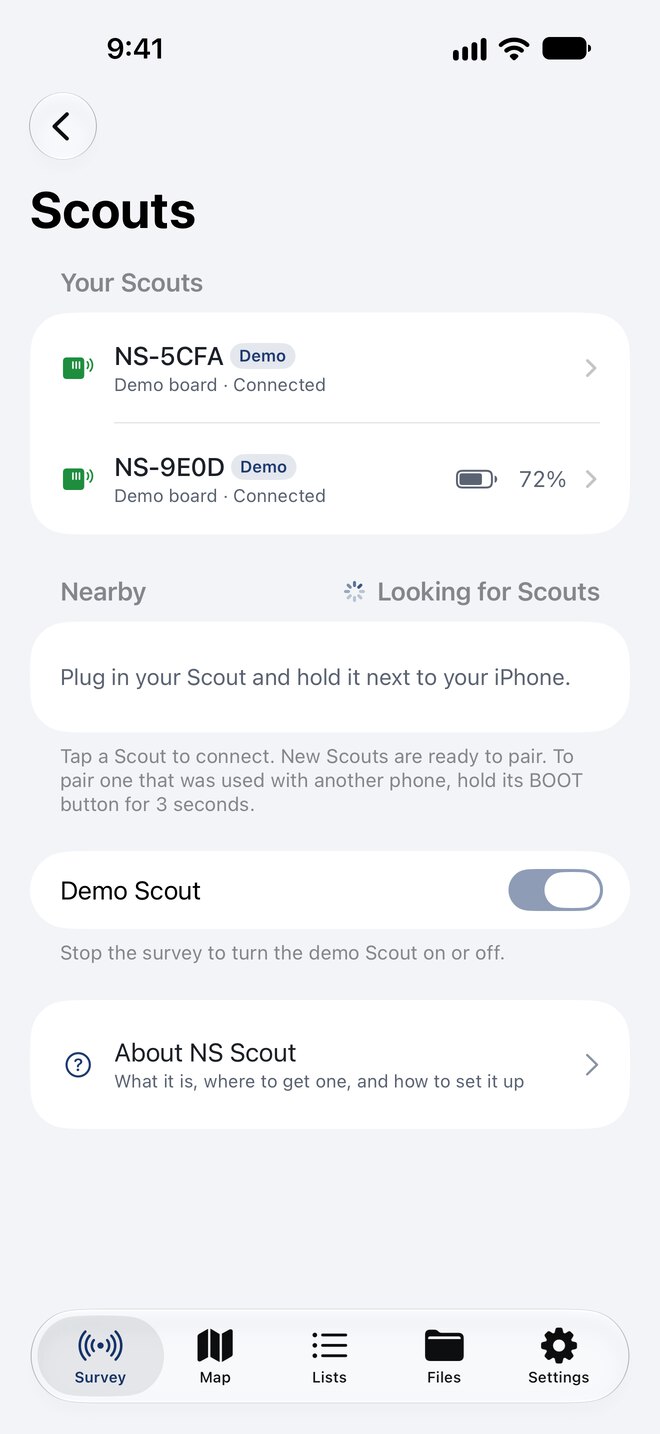
More Scouts, More Coverage
A single Scout hops between channels. Add more and each one listens to fewer channels, so you miss less.
- Use up to four Scouts at once
- The app splits the channels between them automatically, and with Bluetooth on, one listens to Bluetooth full time
- Or give each one a role: 2.4 GHz, 5 GHz, one channel, or Bluetooth
- Record rate for each Scout, and battery level on boards that report it
- Firmware updates over Bluetooth, checked against a signature
Technical Specifications
- Device
- iPhone only, iOS 18 or later
- Required Hardware
- NS Scout (ESP32 board)
- Wi-Fi Bands
- 2.4 GHz, plus 5 GHz with an ESP32-C5 Scout
- File Formats
- CSV, pcapng
- Streaming Protocols
- MQTT, gRPC
- Price
- Free
- Open Source
- Apache 2.0 License
Frequently Asked Questions
Does the app work without an NS Scout?
Not for real surveys. The iPhone records nothing on its own. A built-in Demo Scout lets you try the app without hardware, but everything it reports is made up and it is never sent to NS Analytics.
Why can't the iPhone scan Wi-Fi itself?
iOS does not let apps scan for Wi-Fi networks, and it hides the real addresses of Bluetooth devices. The Scout does the listening, and the app does everything else.
When will it be on the App Store?
Network Survey for iOS is in testing and App Review now. A public TestFlight beta is coming soon, and the link will be on this page.
Is there an iPad or Mac version?
No. Network Survey for iOS is made for iPhone, and there is no iPad or Mac version.
Is it free?
Yes. The app is free and open source, with no ads or subscriptions. The Scout is a board you buy yourself, and NS Analytics is optional.
Can I combine it with data from the Android app?
Yes. The Wi-Fi and Bluetooth CSV files use the same column names as the Android app, and both apps can upload to the same NS Analytics workspace.
Does it hear 6 GHz Wi-Fi or Bluetooth Classic?
No. Scouts hear 2.4 GHz, and 5 GHz when the board has an ESP32-C5. None of the supported chips can tune to 6 GHz, and Bluetooth scanning covers Bluetooth Low Energy only.
Coming Soon to the App Store
Get a Scout ready now, and be surveying the day the app arrives.
Open source • iPhone • Apache 2.0 License