Turn an Android phone into a wireless survey tool
Record cellular, Wi-Fi, Bluetooth and GNSS with one Start button, and send the records where you need them: CSV files on the phone, your own MQTT broker or gRPC server, your team's NS Analytics workspace, or the OpenCelliD and BeaconDB community databases.



How it works
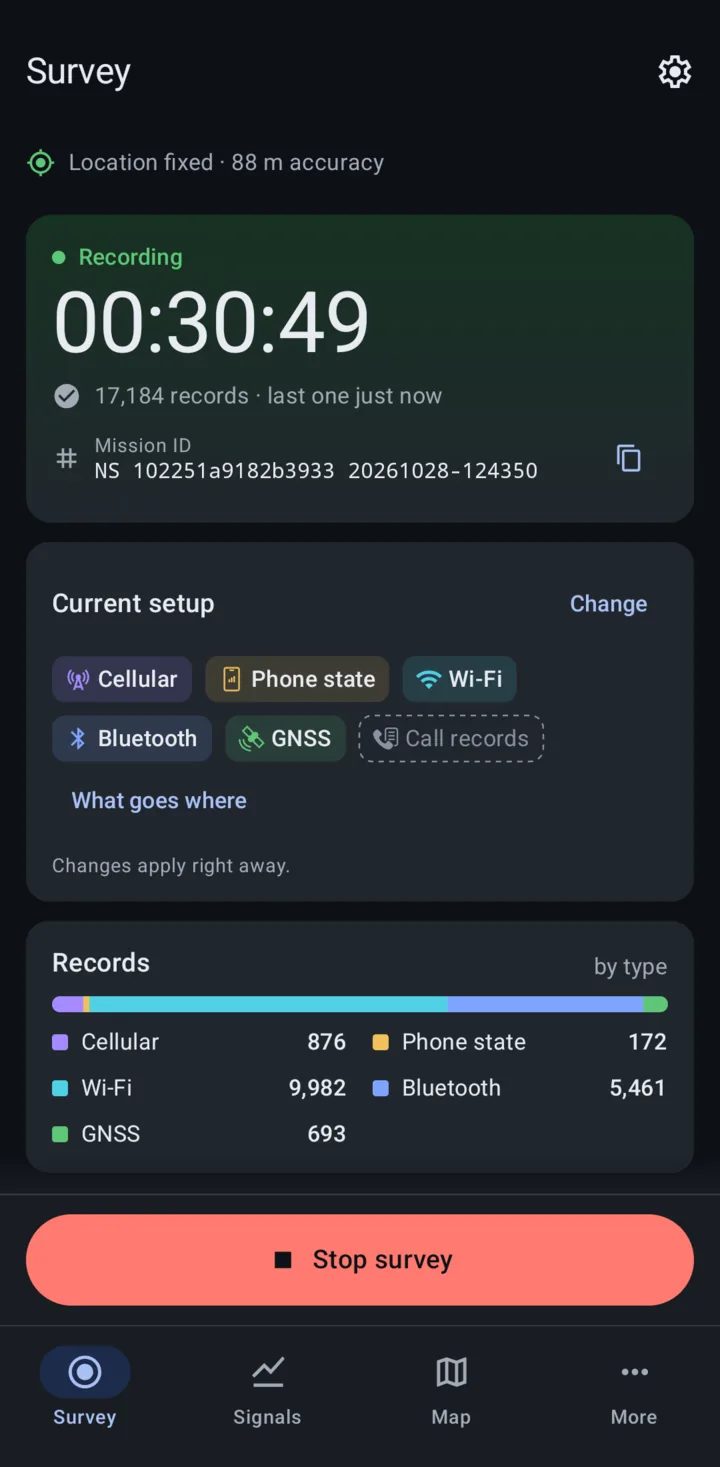
One survey, set up on one screen. The Survey tab asks two questions, then you press Start.
Pick what to survey
Turn on the record types you need: Cellular, Phone state, Wi-Fi, Bluetooth, GNSS and Call records.
Pick where it goes
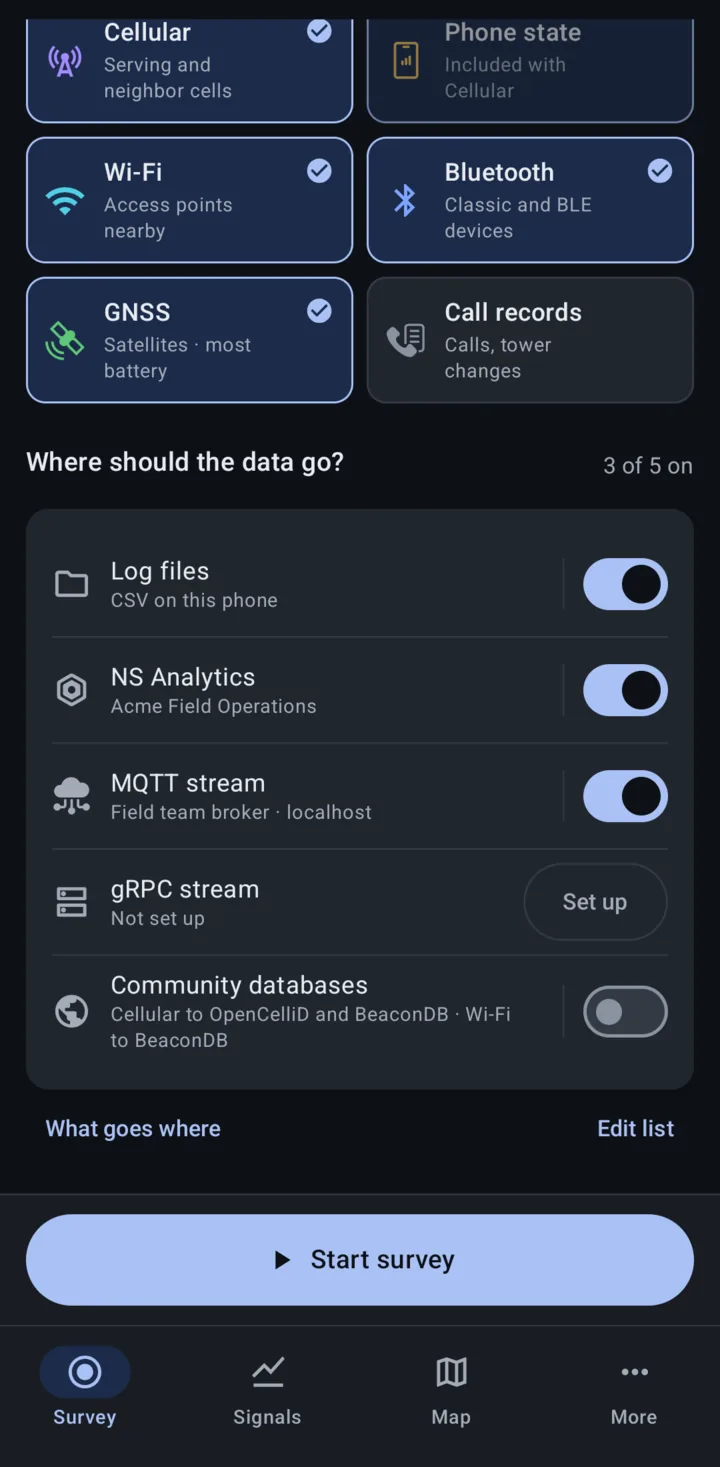
Turn on one or more destinations. Each one gets every record type it can take, and "What goes where" shows exactly what lands where.
Press Start survey
One Start and one Stop. While it records, the Survey tab shows the time, the record counts and how each destination is doing.
New to the app? Follow Your first survey in the manual.
Your data goes where you send it
Turn on as many destinations as you like for one survey. They all run from the same scans.
Log files
CSV files on the phone, one file per record type. Share them from More > Log files.
NS Analytics
Uploads to your team's workspace, where every phone's surveys land on one map.
MQTT stream
Live JSON messages to the broker you choose. Save more than one broker.
gRPC stream
Live Protocol Buffers messages to a gRPC server you run.
Community databases
Contribute cellular records to OpenCelliD and BeaconDB, and Wi-Fi records to BeaconDB.
Call records go only to Log files. The community databases take Cellular and Wi-Fi only.
See every radio live
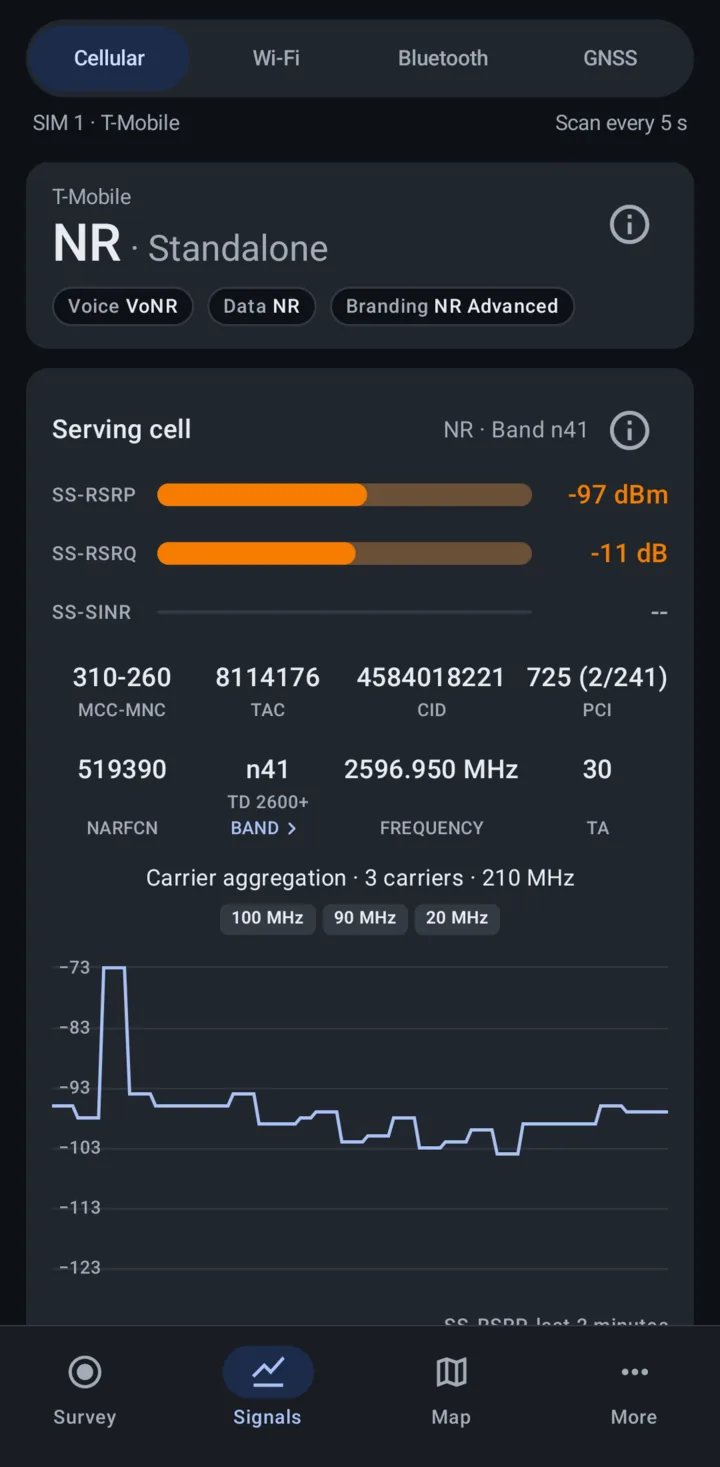
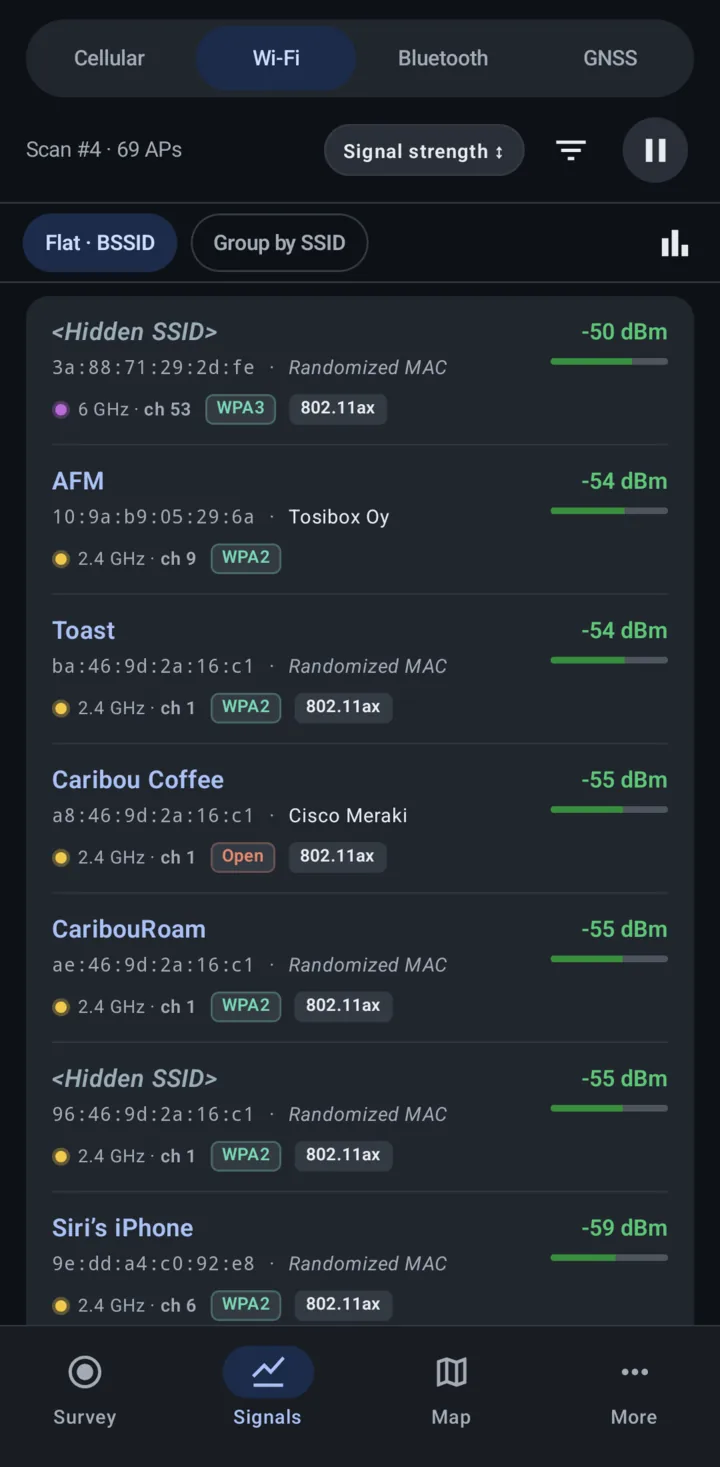
The Signals tab shows what the phone hears right now, with or without a survey running. Long press a value to copy it.
Cellular
- GSM, CDMA, UMTS, LTE and 5G NR, serving and neighbor cells
- 5G Standalone and Non-Standalone, with the NR secondary cell
- Carrier aggregation with each carrier's bandwidth
- Signal chart for the last 2 minutes (RSRP for LTE, SS-RSRP for NR)
- eNB ID, sector ID, and the PSS and SSS of the PCI worked out for you
- Phone state: what the radio is doing, recorded alongside Cellular
Wi-Fi
- Access points on 2.4, 5 and 6 GHz: SSID, BSSID and signal strength
- Channel, frequency, bandwidth and 802.11 standard
- Security type, WPS and Passpoint
- Group by SSID, or list every BSSID with its vendor
- Wi-Fi spectrum view of channel usage
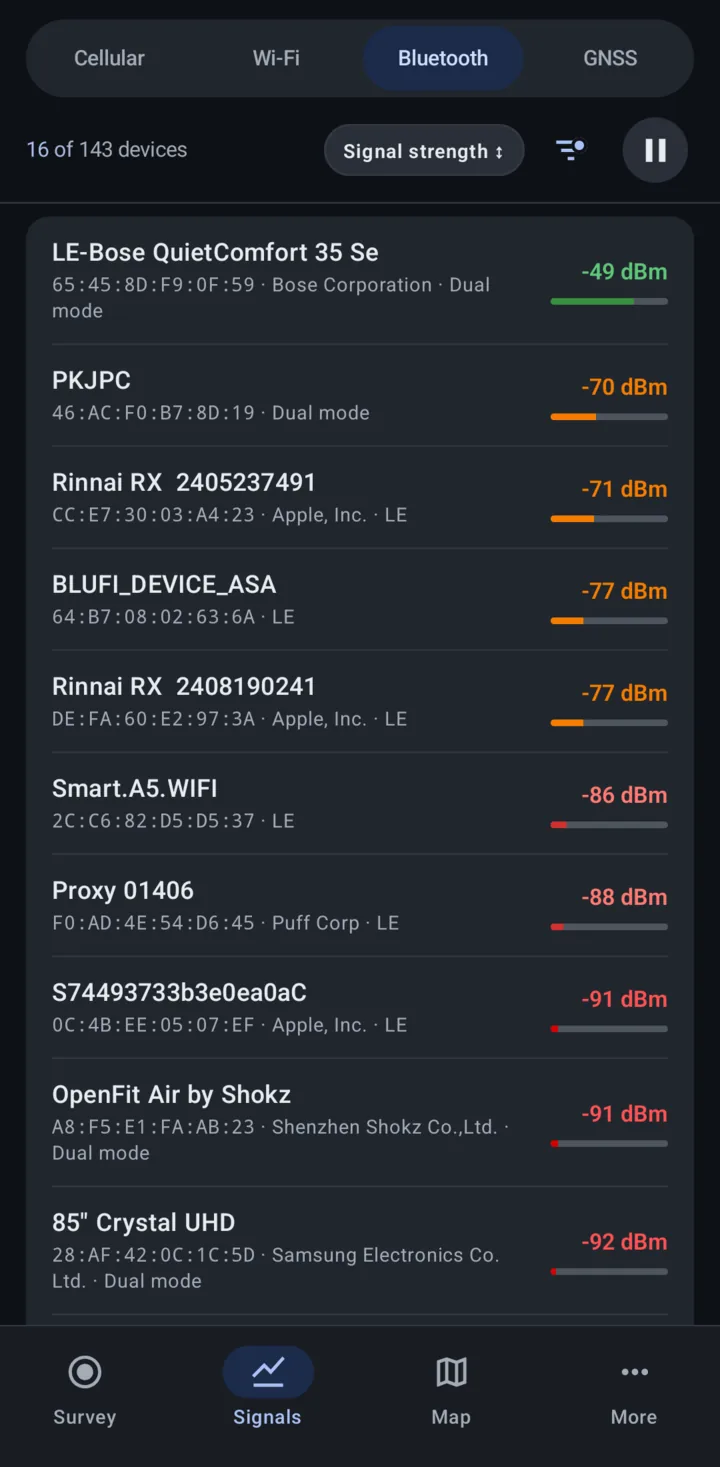
Bluetooth
- Bluetooth Classic and BLE devices
- Address, advertised name, signal strength and Tx power
- Company name from the advertisement, and the device class
- Find My trackers tagged, with a Trackers only filter
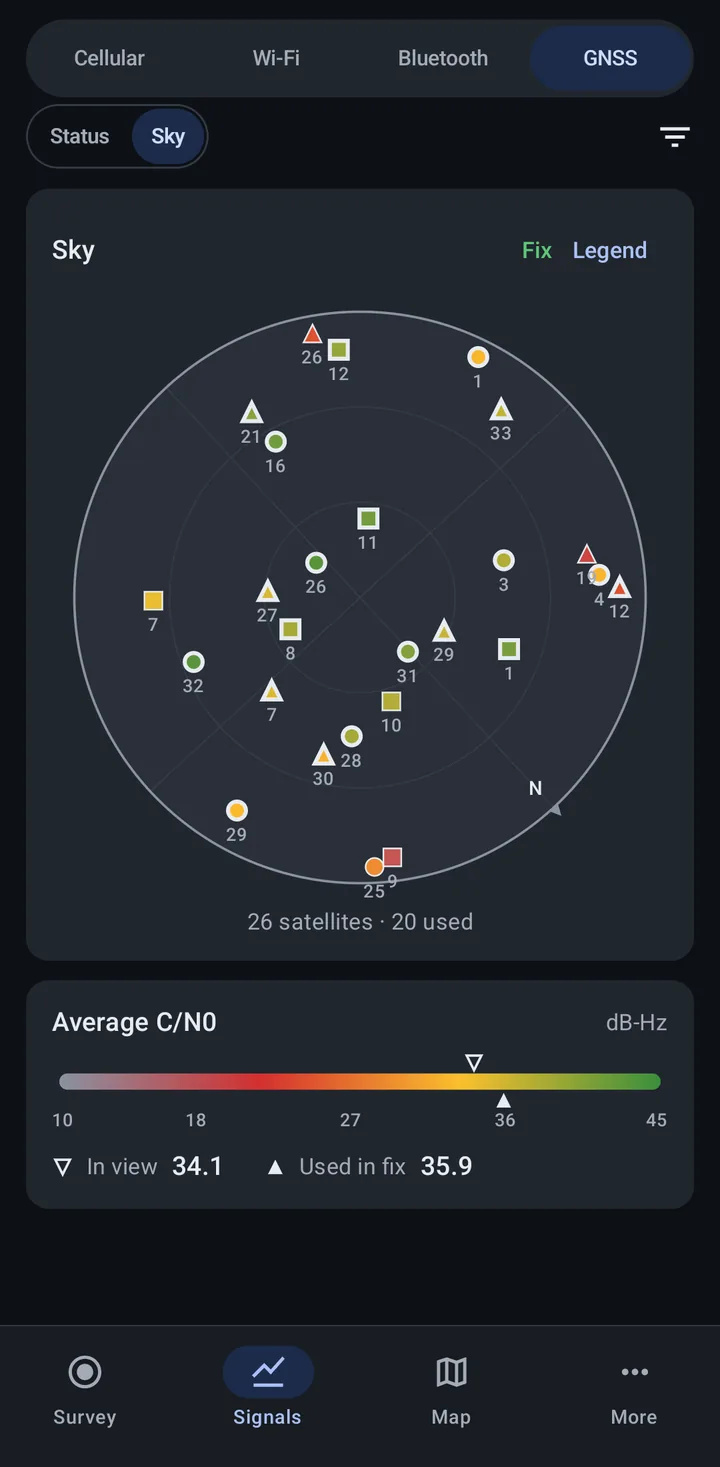
GNSS
- GPS, GLONASS, Galileo, BeiDou, QZSS and IRNSS, plus SBAS
- C/N0 and AGC for each signal, with 2 minute trends by band
- A sky plot that turns with the phone
- Fix accuracy, DOP and time to first fix
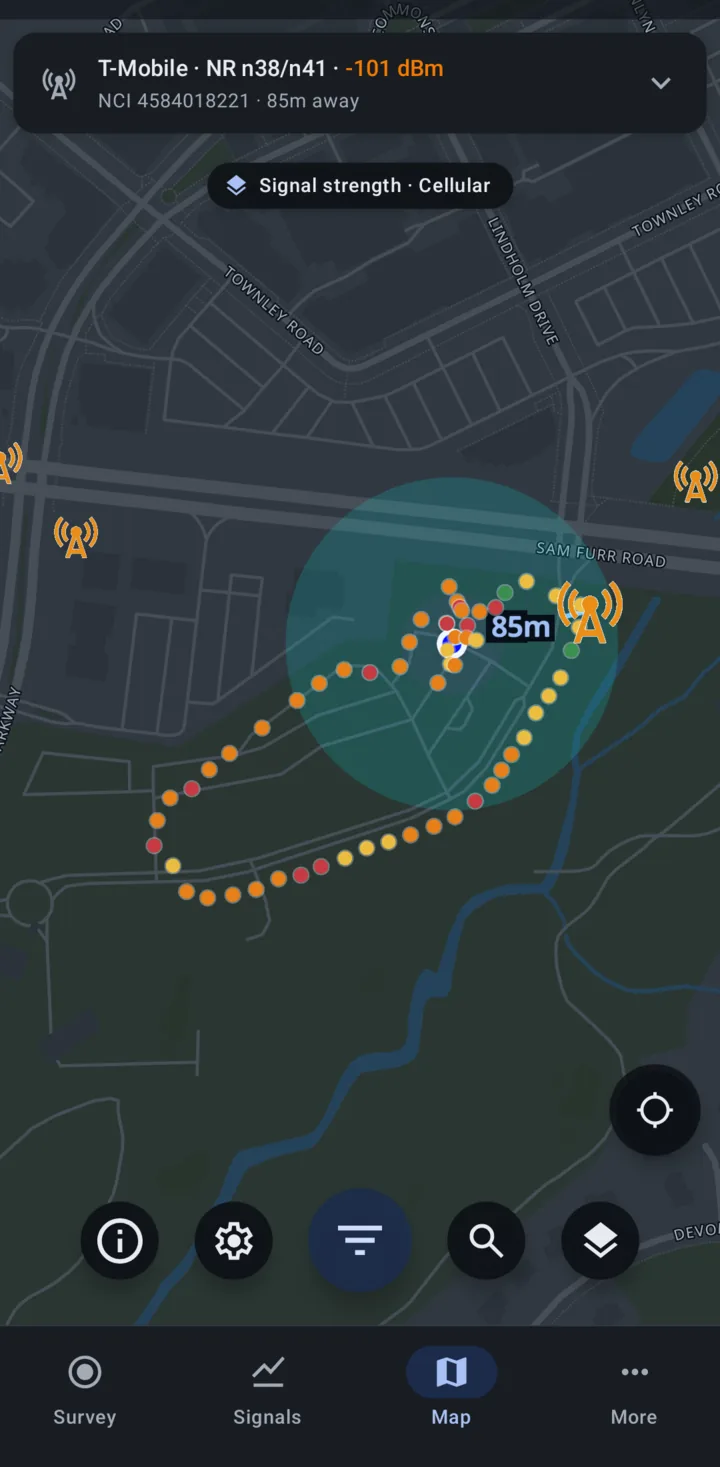
One map for towers and your survey
- Towers around you from OpenCelliD, and from BTSearch in Poland, filtered by provider, technology, source and age.
- Your serving cell on a card at the top, with a line to its tower and the distance.
- My survey points show where your surveys have been, colored by signal strength, technology, provider or sent status.
- Your choice of map tiles: OpenFreeMap, MapTiler or OpenStreetMap, plus an optional BeaconDB coverage layer.
Survey points are recorded only for surveys that send to NS Analytics or the community databases. Log files, MQTT and gRPC add none.
The Map tab in the manualTools for the field
Under More > Tools, ready when you need to check something on site.
Wi-Fi watchlist
Save networks by name or MAC address and get an alert when one is seen, with a history of every sighting. Import a whole list from a shared link.
Learn moreCellular tools
A reference of LTE and 5G NR bands, plus calculators for channel to band, Cell ID to eNB ID, NCI to gNB ID, and PCI to PSS and SSS.
Learn more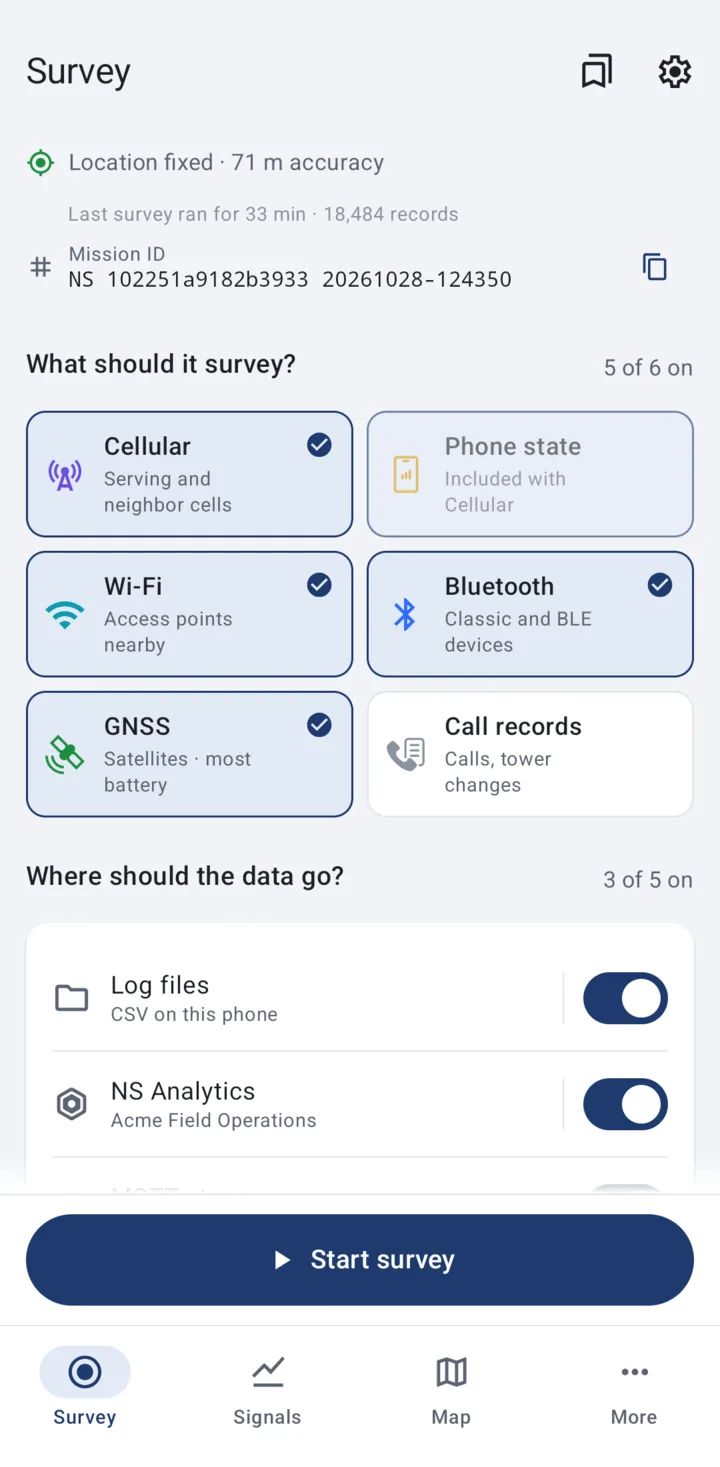
Make it yours
Saved setups
Save the record types and destinations you use often under a name, star your favorites, and switch between them with one tap. Saved setups
Start survey automatically
Have the survey start when the app opens and when the phone restarts.
Light, dark and nine accent colors
Follow the phone's theme or pick Light or Dark, then choose an accent color. Finding your way around
For teams and fleets
Hand phones to the people in the field. They press Start survey, and the records come back to you.
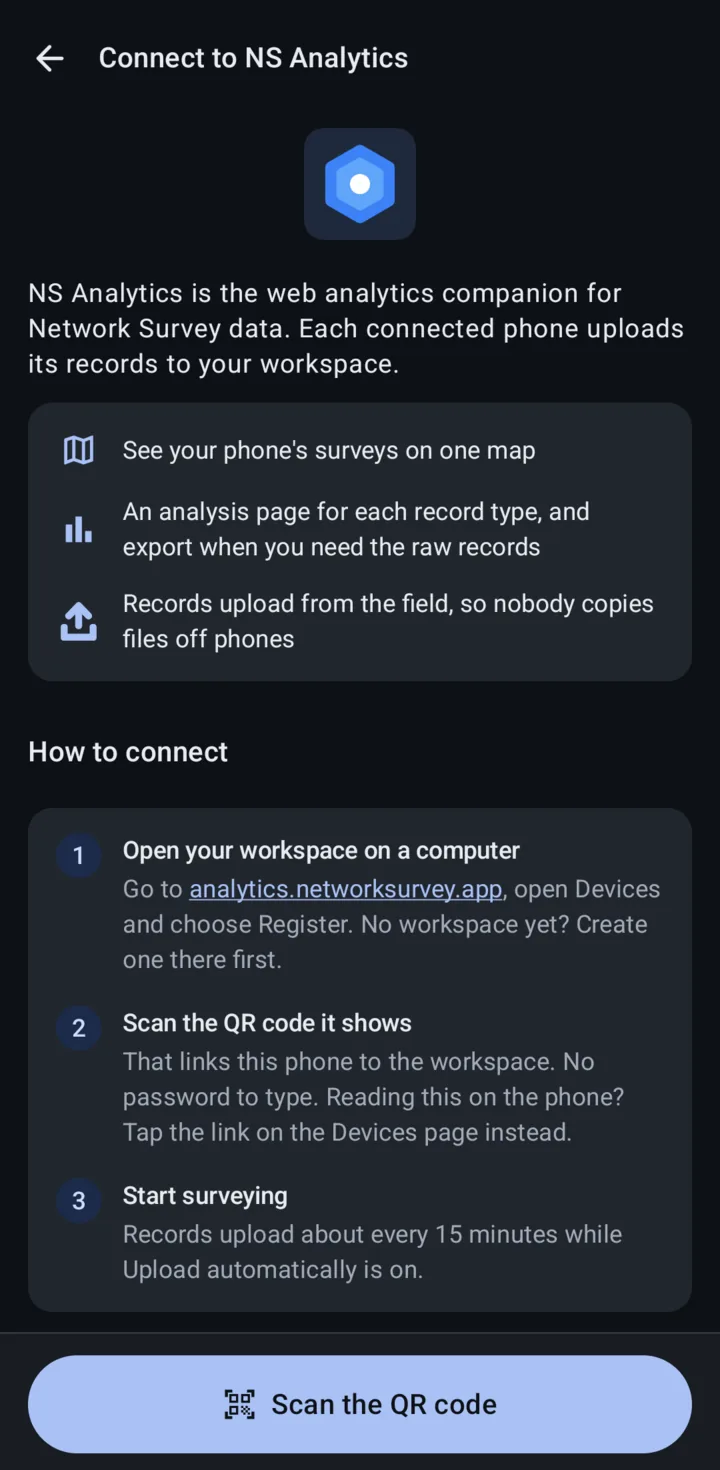
NS Analytics
NS Analytics is the web workspace for Network Survey data. Every connected phone uploads its records to your team's workspace, so nobody copies files off phones.
Connect with a QR code
Scan the code from the workspace's Devices page. There is no password to type.
Uploads from the field
Records from surveys that send to NS Analytics upload about every 15 minutes while Upload automatically is on, or right away with Upload now.
Every phone on one map
See the surveys from all your phones together, in a web browser.
Analyze and export
An analysis page for each record type, and the raw records when you need them.
Managed configuration (MDM)
Set up a whole fleet from your MDM or EMM console. Each record type and destination can be Operator chooses, Always on or Off. You can also start the survey automatically, provide an MQTT broker, and set scan rates and other settings.
Anything you set shows "Set by your organization" on the phone, and an Organization settings page lists it all.
MDM key referenceIntent API
Start and stop surveys from your own app with an Android intent that names the record types and destinations, the same choices as on the Survey tab.
Intent API referenceFreedom and privacy
No cloud you have to use, no format that locks you in, and source code anyone can read.
Open source
Apache 2.0 licensed. Read the code, change it, and contribute on GitHub.
Your data stays yours
Records stay on the phone unless you turn on a destination that sends them somewhere. No ads, and no account needed.
Two builds
The Google Play build sends crash reports and usage analytics through Firebase. The CDR build, on F-Droid, IzzyOnDroid and GitHub, has no Firebase.
Compare the buildsDeveloped since 2018
In active development since 2018, with releases published on GitHub.
Read the privacy policy.
Who uses Network Survey
Network and RF engineers
Teams checking coverage, performance and infrastructure plans who need accurate data they can export.
Teams surveying many sites
Organizations that send people to many locations and want the coverage at each one, collected on ordinary phones and gathered in one place.
Wireless security teams
Security staff looking for rogue or unexpected wireless signals in their facilities, with full control over where the data goes.
Privacy-minded individuals
People who want to understand the wireless environment around them without handing their data to anyone.
Technical specifications
- Minimum Android version
- Android 8.0 (API 26)
- Record types
- Cellular, Phone state, Wi-Fi, Bluetooth, GNSS, Call records
- Cellular technologies
- GSM, CDMA, UMTS, LTE, 5G NR
- Log file format
- CSV
- Streaming
- MQTT (JSON), gRPC (Protocol Buffers)
- Uploads
- NS Analytics, OpenCelliD, BeaconDB
- Fleet management
- Android managed configuration (MDM), Intent API
- License
- Apache 2.0
Network Survey is open source software. Contribute, report issues, or read the source code on GitHub.
View on GitHubReady for your first survey?
Get Network Survey from Google Play, F-Droid or IzzyOnDroid.
Free and open source • No ads • No subscription