OUI lookup
OUI lookup identifies the manufacturer of a device from its MAC address. The first 24 bits of a MAC address are the Organizationally Unique Identifier (OUI), which the IEEE assigns to hardware vendors.
Open it from More > Tools > OUI lookup. The lookup uses an online service, so it needs an internet connection for a prefix the phone has not looked up before.
Looking up an address
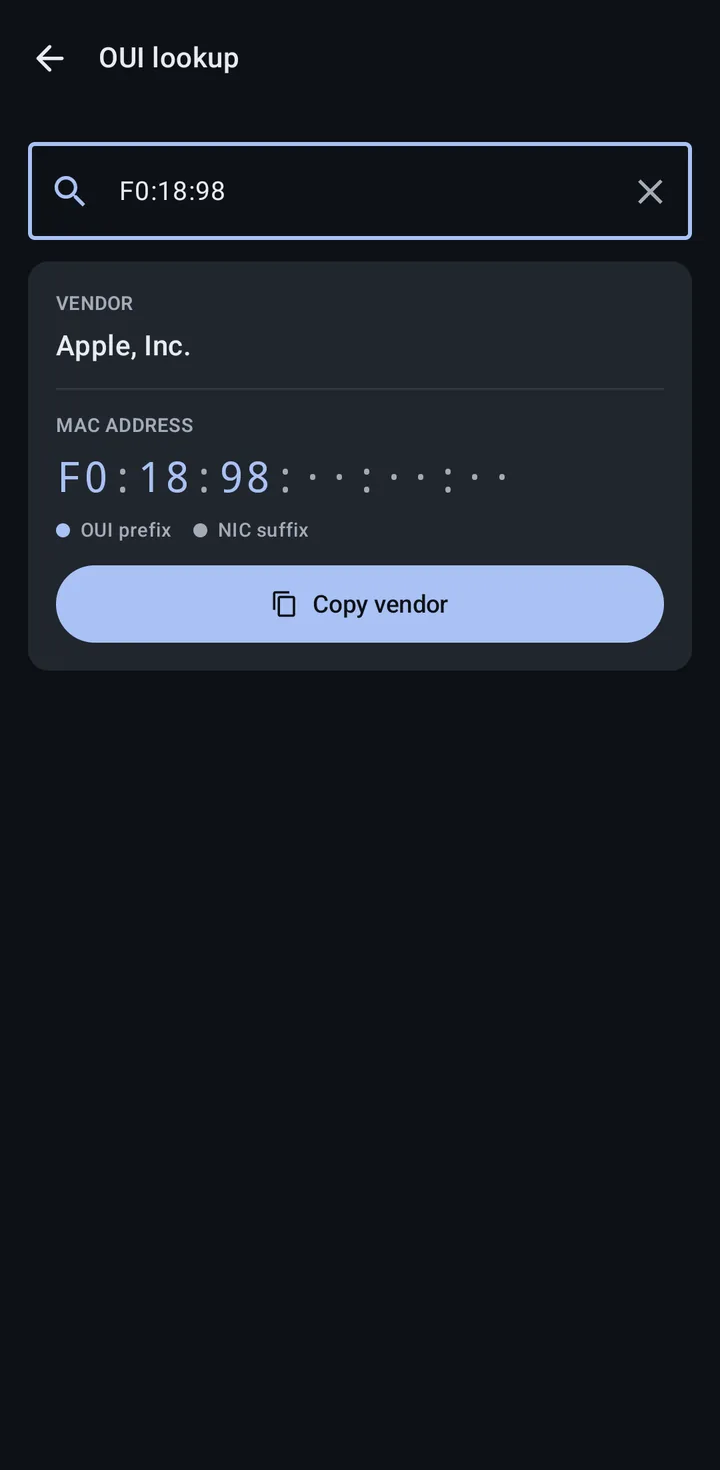
Section titled “Looking up an address”Enter a MAC address in the search box. You can type just the first 6 hex characters (the OUI prefix) or a full address; only the 24-bit OUI is used for the lookup. Input is formatted automatically into uppercase, colon-separated hex. Until you have typed enough, the screen says how many more hex characters it needs.
A successful result shows:
- The Vendor name.
- The MAC split into its OUI prefix and NIC suffix, so you can see which part identifies the manufacturer.
- A Copy vendor button.
Result states
Section titled “Result states”Not every address maps to a single vendor. The screen explains what it found:
| State | Meaning |
|---|---|
| No vendor match | The OUI prefix is not in the database. |
| Randomized address | The locally administered bit is set, indicating a randomized (private) MAC. Devices rotate these for privacy. |
| Private vendor | The vendor is registered with the IEEE but has requested privacy. |
| Shared vendor block | The prefix is shared by multiple smaller vendor blocks, so the specific vendor cannot be identified from the OUI alone. |
| Lookup unavailable | The lookup service could not be reached. Reconnect and try again. |
| Lookup off | Manufacturer lookup is turned off. Tap Turn on in Settings to turn it back on. On a managed phone it can instead read “Turned off by your organization”. |
Manufacturer lookup setting
Section titled “Manufacturer lookup setting”OUI lookup depends on the Manufacturer lookup setting, in Settings > Map and lookups. The same setting powers the vendor labels in the Wi-Fi list and on Wi-Fi network details, and the manufacturer shown on Bluetooth device details. (The company on a Bluetooth list row comes from the device’s advertisement instead.) When the setting is off, the lookup reads Lookup off. See App settings for the setting and what it sends to the lookup service.
Related
Section titled “Related”- PLMN lookup: look up operators by MCC-MNC or name
- App settings: the Manufacturer lookup setting
- Wi-Fi networks: vendor labels in the Wi-Fi list
- Bluetooth devices: manufacturer identification