What is WaveDigger?
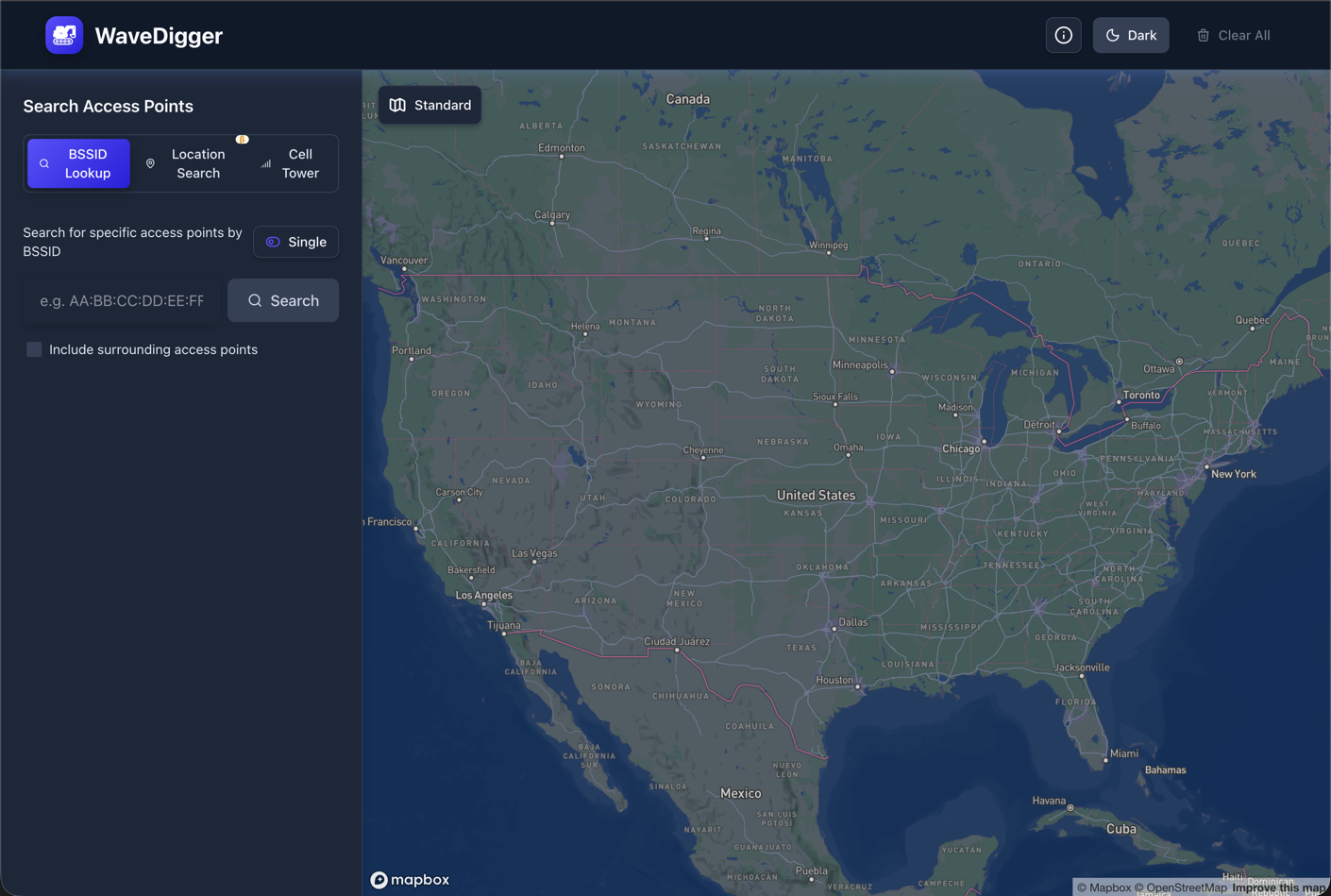
WaveDigger helps you find the physical location of wireless networks, including Wi-Fi access points and LTE / 5G NR cell towers, by querying Apple's location services database, which contains millions of entries worldwide.
The locations are crowdsourced from iOS devices with location services enabled.
Wi-Fi BSSID Lookup
Find the physical location of Wi-Fi access points by their BSSID (MAC address).
Cellular Tower Discovery
Locate LTE and 5G NR cell towers using network parameters (MCC, MNC, TAC, Cell ID / NCI).
Batch & Surrounding Searches
Single or batch BSSID searches with option to include surrounding access points.
Location-Based Discovery
Find access points in specific areas with interactive map visualization.
Search History
Track recent searches.
Shareable Results
Generate shareable URLs for specific locations and search results.
How It Works
1. Enter Network Identifiers: Input a Wi-Fi BSSID (MAC address) or cell tower parameters (MCC, MNC, TAC, and Cell ID for LTE or NCI for 5G NR).
2. Query Apple's Database: WaveDigger searches Apple's location services database, which contains locations crowdsourced from millions of iOS devices worldwide.
3. View Results on Map: See the precise location on an interactive map powered by deck.gl, with options to find surrounding access points.
Note: If a network isn't found in the global database, WaveDigger automatically checks Apple's China database and indicates the source in the search history.
Supported Input Formats
WaveDigger accepts multiple BSSID formats:
AA:BB:CC:DD:EE:FF AA-BB-CC-DD-EE-FF AABBCCDDEEFF Built With
- Next.js - React framework
- TypeScript - Type-safe development
- deck.gl - WebGL map visualization
Try WaveDigger Now
Free to use, no registration required. Start discovering wireless signal locations instantly.
Part of the Network Survey ecosystem